Powerful SSH Terminal
in Your Pocket

XuTerm is a professional SSH terminal client for iOS & Android. Manage servers, run commands, and stay connected — anywhere.

Download XuTerm

Apple
App Store
iOS — Coming soon
Google Play
Android — Coming soon
Huawei
Huawei AppGallery
Android — Huawei devices
APKPure
APKPure
Android — Alternative store
Uptodown
Uptodown
Android — Alternative store
Appteka.store
Android — Alternative store
GitHub Releases
Android — Direct APK download
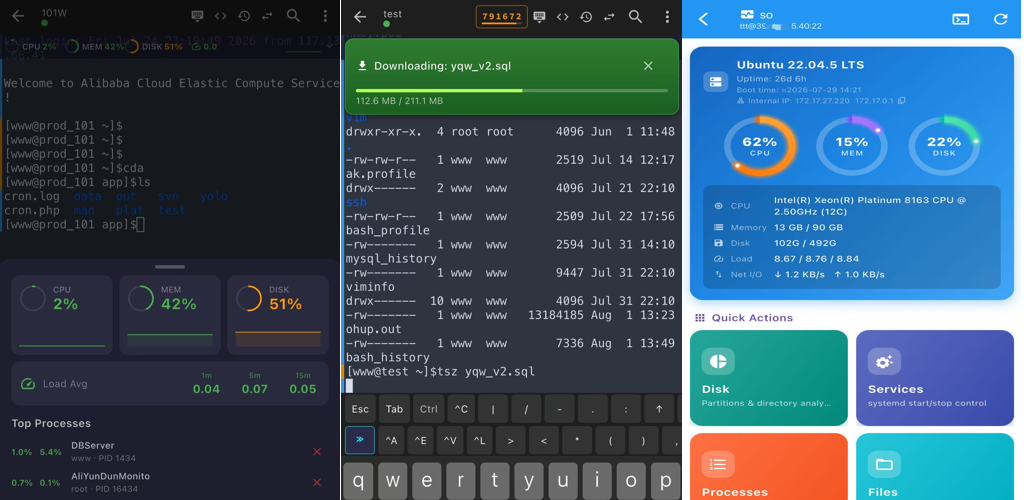
XuTerm SSH terminal app overview with tmux, SFTP and server monitoring features
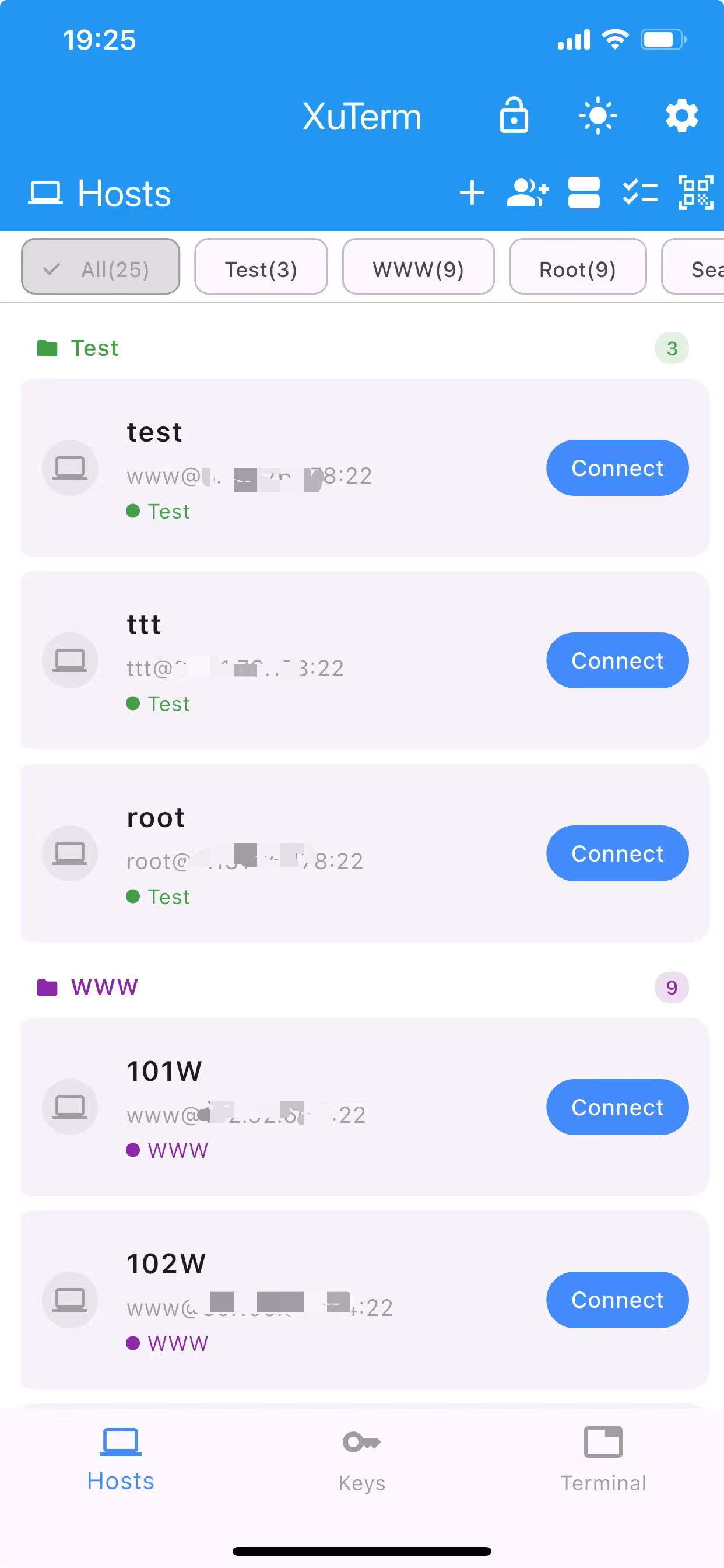
XuTerm home screen with server list and quick actions
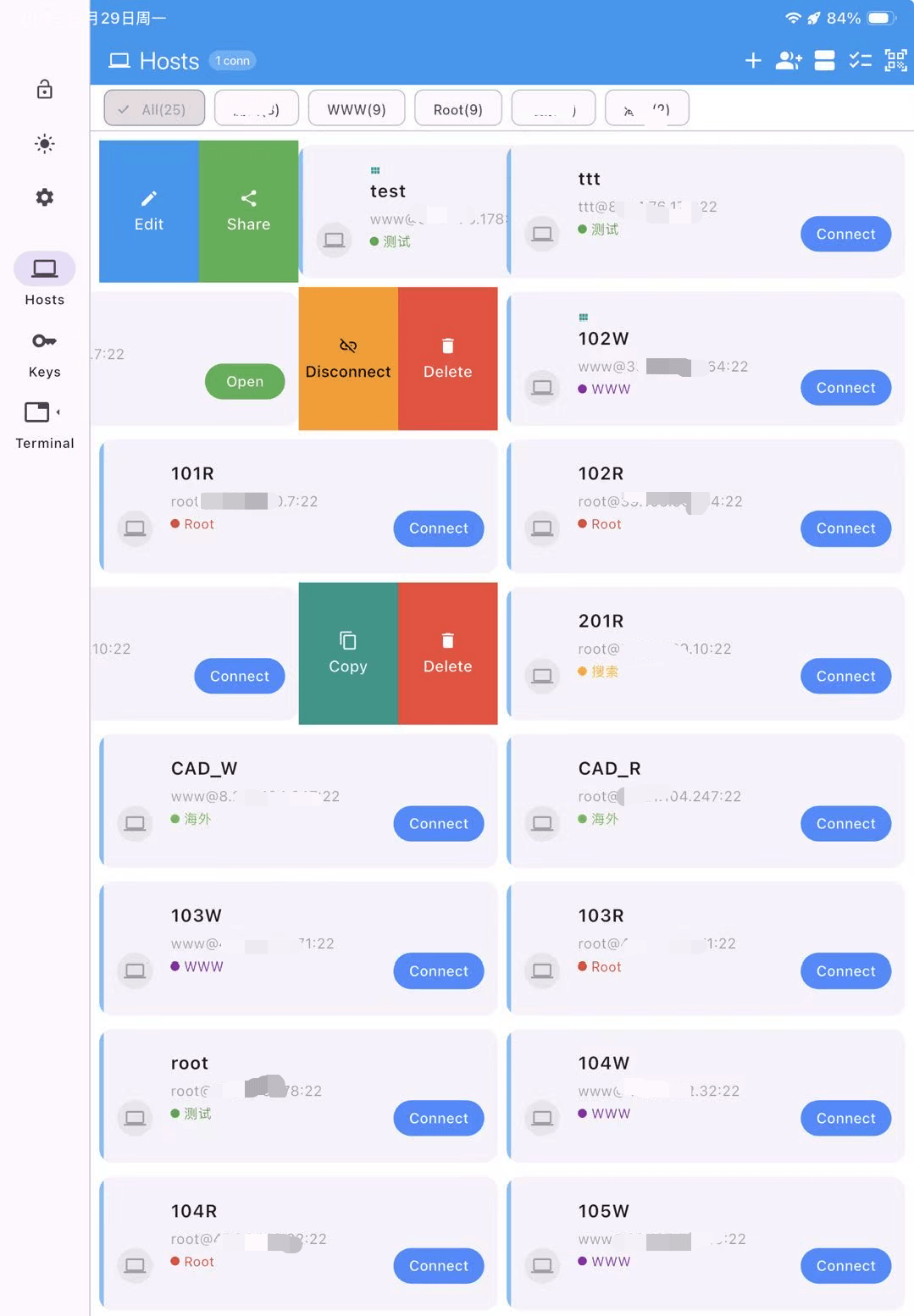
XuTerm tablet view of the server dashboard

Everything You Need

From connection management to advanced terminal features

🔒

SSH Key Authentication

Generate, import, and manage SSH keys. Support for RSA, ECDSA, and Ed25519 with encrypted storage.

🔒

TOTP Two-Factor Auth

Built-in TOTP token manager. Auto-generate 2FA codes linked to your hosts, one-tap fill in terminal.

🛡

Secure Storage

AES-256 encryption for sensitive data, keys stored in system secure chip (Keychain/Keystore), biometric unlock protection.

📤

trzsz File Transfer

Upload and download files with trz/tsz commands. Fully compatible with tmux sessions.

📝

Script Editor

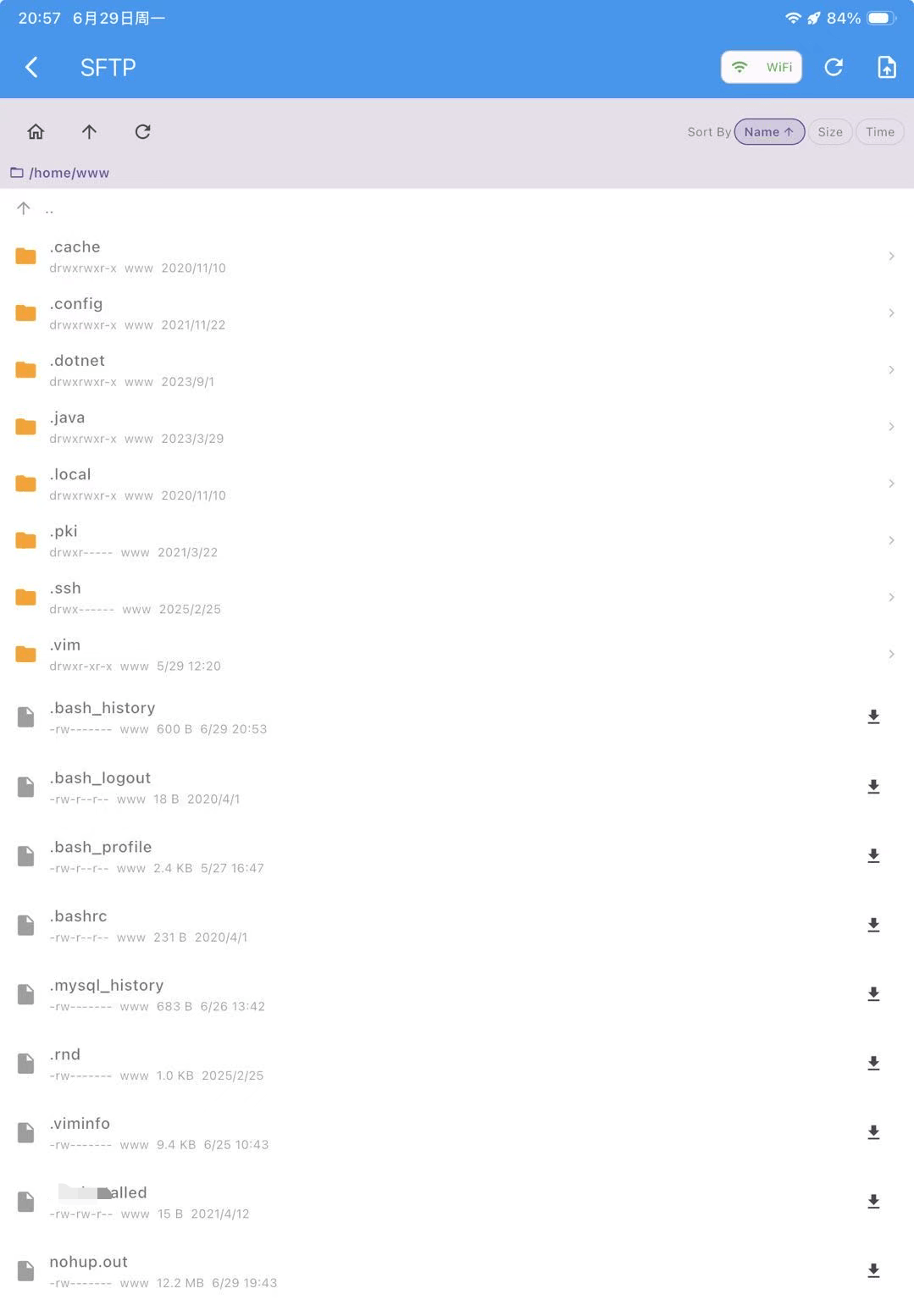
Built-in code editor with syntax highlighting. Edit remote files in-place via SFTP without extra tools.

👁

File Preview

Preview PDF, Excel, and images; edit text files online; calculate file hash (MD5/SHA1/SHA256).

🎨

Vertical Color Bar

Left-side color bar distinguishes user input from server output. Quickly locate command boundaries in long logs.

🔬

Server Monitor

Real-time CPU, memory, disk, load & process monitoring for SSH sessions. Kill processes and custom refresh interval.

🔗

Proxy Jump

Seamlessly connect through bastion hosts and jump servers with multi-hop proxy chain support.

🔍

Terminal Search

Find anything in your terminal output with real-time search and highlight.

📱

Gesture Zoom

Pinch to zoom the terminal for the perfect text size. Comfortable coding on any screen.

📄

Select to Copy

Intuitive text selection with copy/paste. Long press to select, drag to extend.

∞

Unlimited Hosts

No artificial limits on host count. Manage all your servers without restrictions or hidden fees.

📳

QR Code Sharing

Share host configurations instantly via QR code. Scan to import on another device.

🎨

Multi-Theme Support

Built-in dark and light themes plus custom color schemes. Your terminal, your style.

🔧

DevOps Toolkit

15+ built-in tools: SSH key generator, password generator, WHOIS, DNS lookup, SSL certificate check, encode/decode, JSON formatter, CIDR calculator, port test and more.

📊

Visual Ops Dashboard

Ring charts for CPU, memory, disk and swap at a glance. Visually manage disks, services, processes, network and Docker containers without terminal commands.


Native tmux Integration

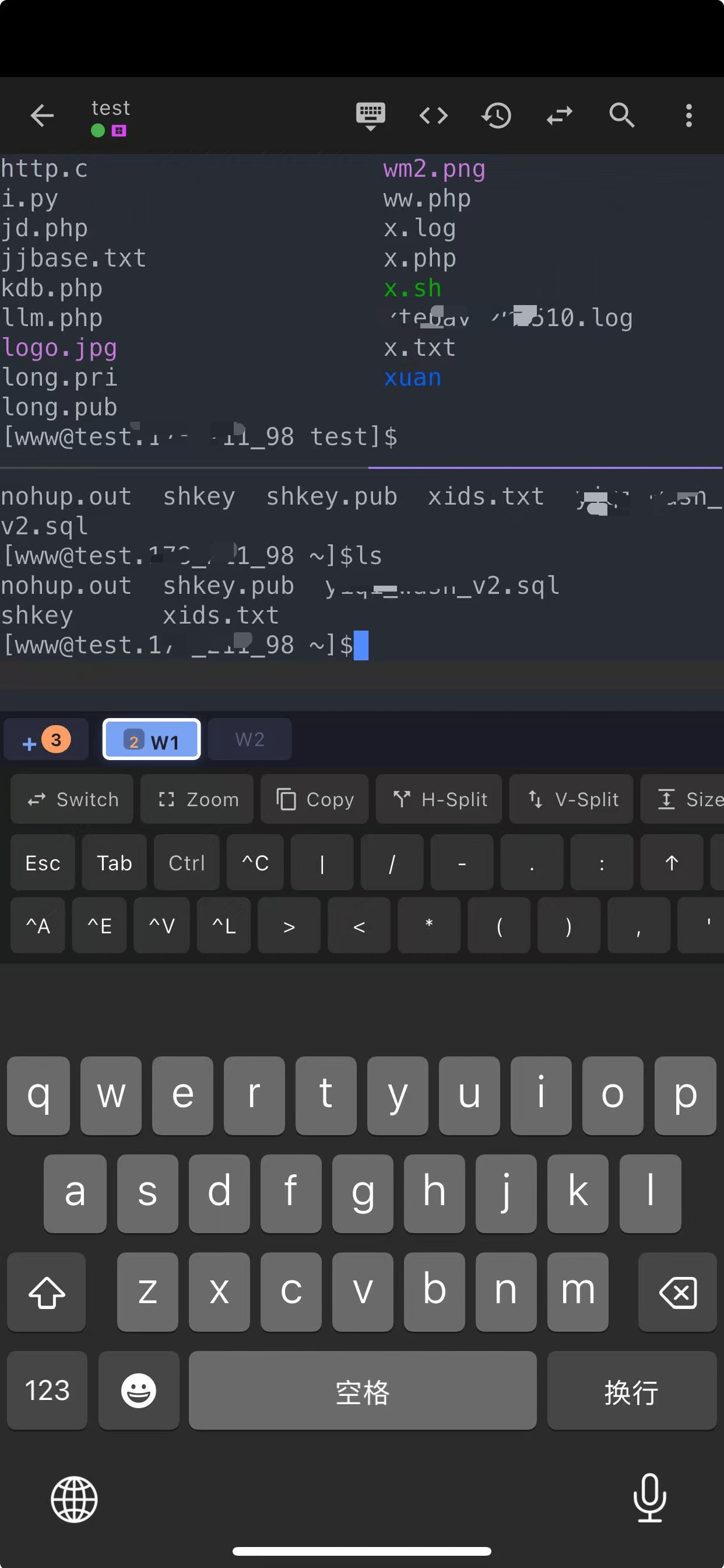
Full tmux support built right in — not just compatibility, but deep integration that makes tmux feel native on mobile.

  • Visual window tab bar for quick switching
  • Split-pane view support
  • Custom tmux theme styling
  • Background keep-alive for long sessions
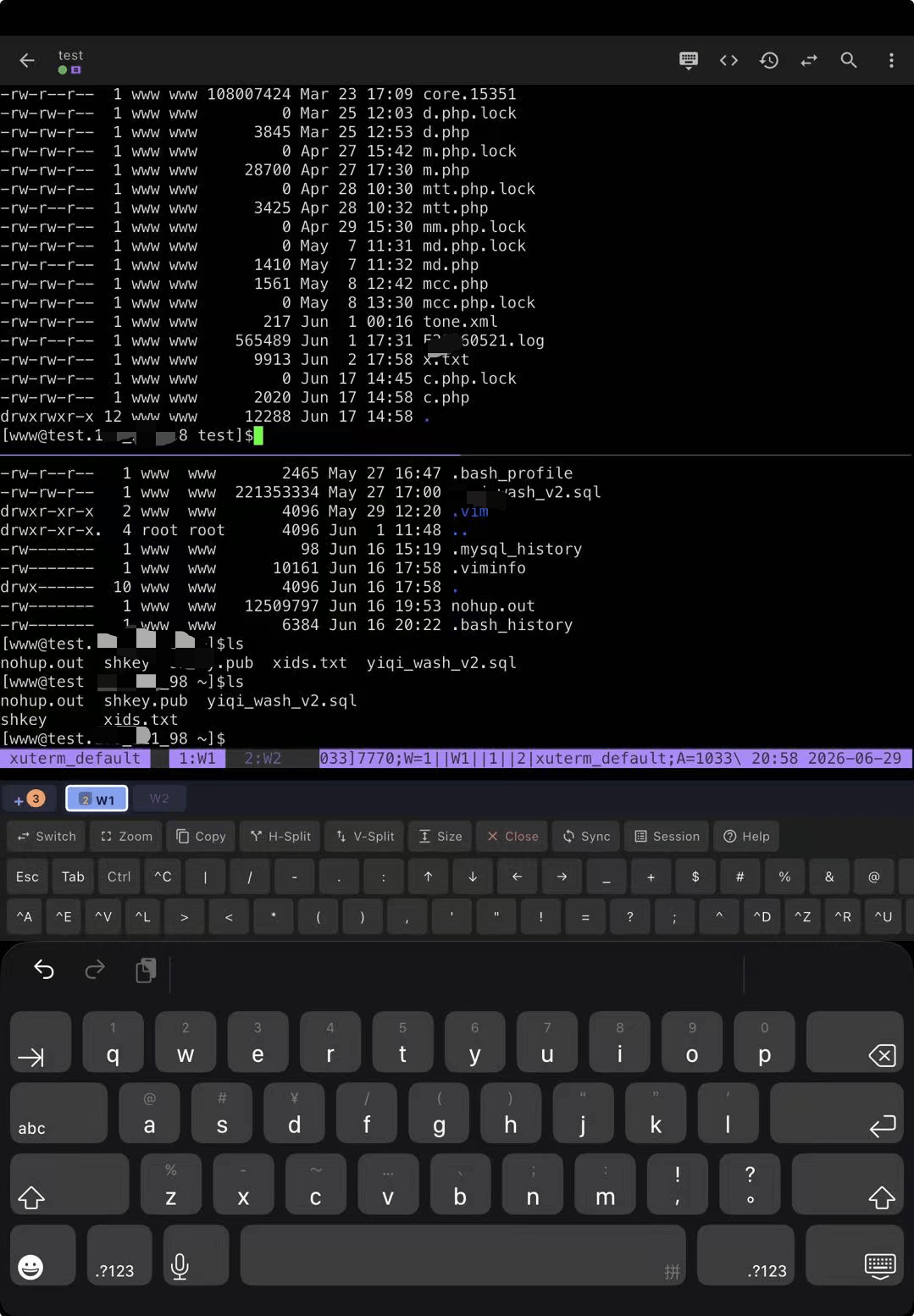
XuTerm native tmux session on phone
XuTerm native tmux integration on tablet

Mosh — Mobile Shell

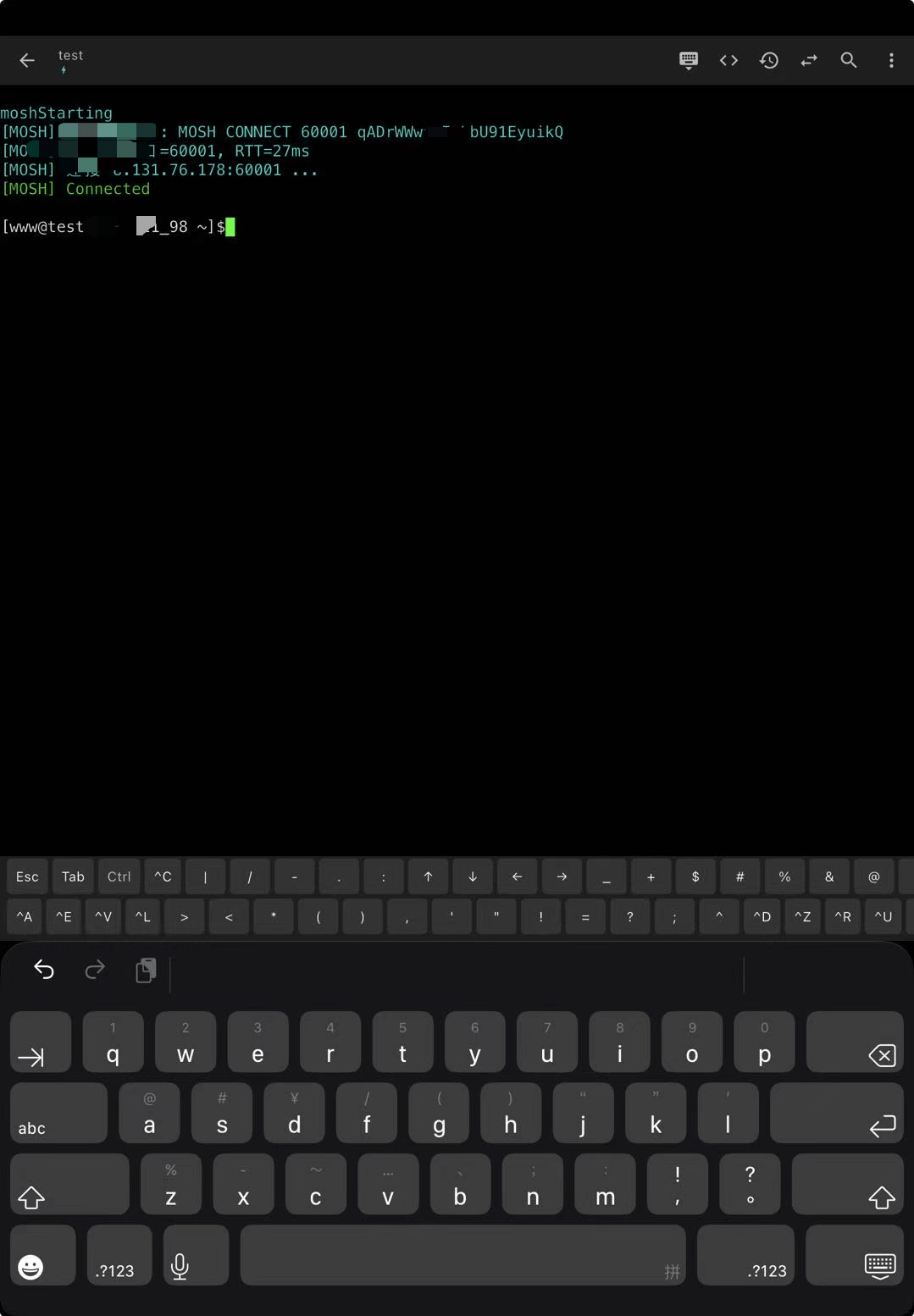
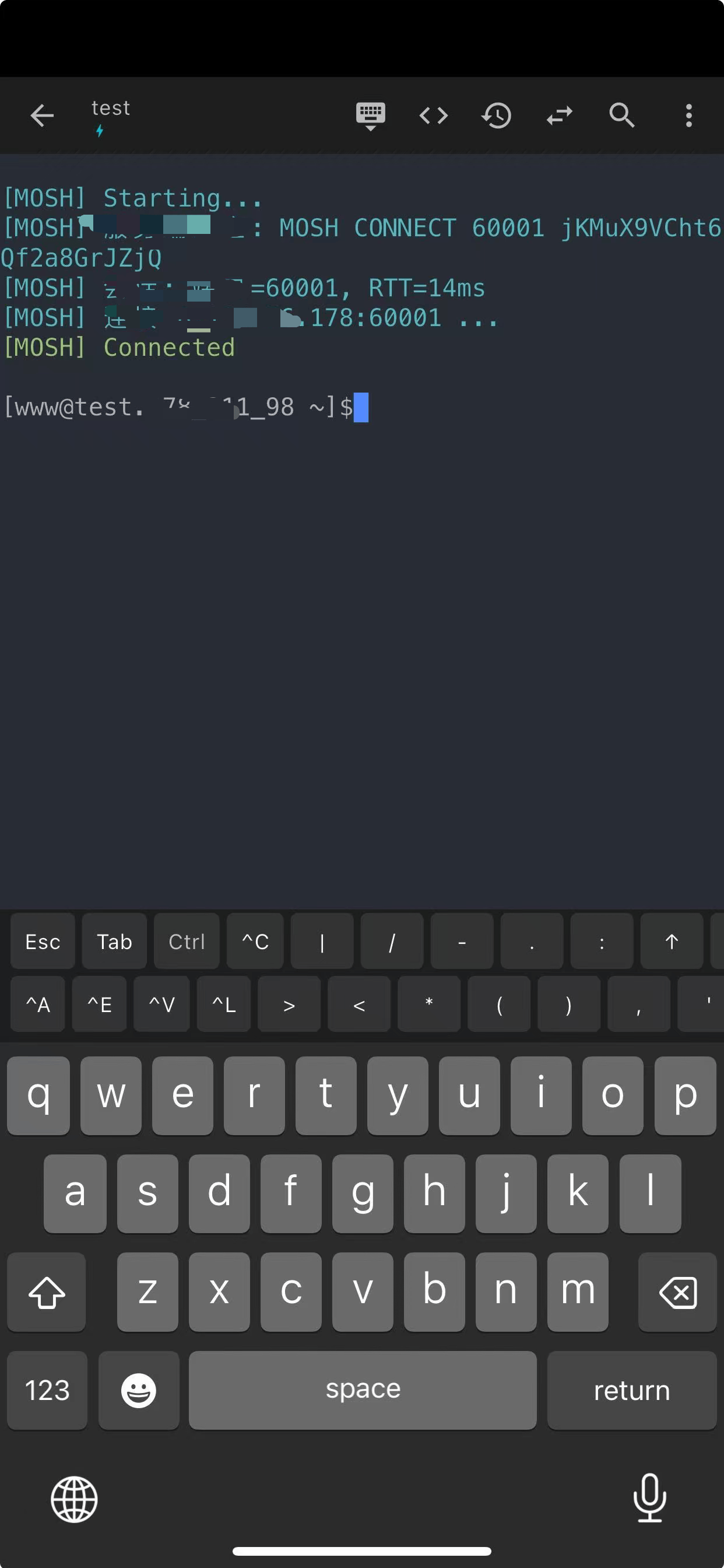
Switch between SSH and Mosh protocols. Mosh handles intermittent connections, roaming, and high-latency networks gracefully.

  • Smart protocol auto-detection
  • Seamless network roaming
  • Instant response on high-latency links
  • Automatic reconnection
XuTerm Mosh mobile shell on tablet
XuTerm Mosh session over mobile network

Multi-Session & File Transfer

Work with multiple servers simultaneously. Browse files over SFTP and transfer with network-aware optimization.

  • Multi-session tab management
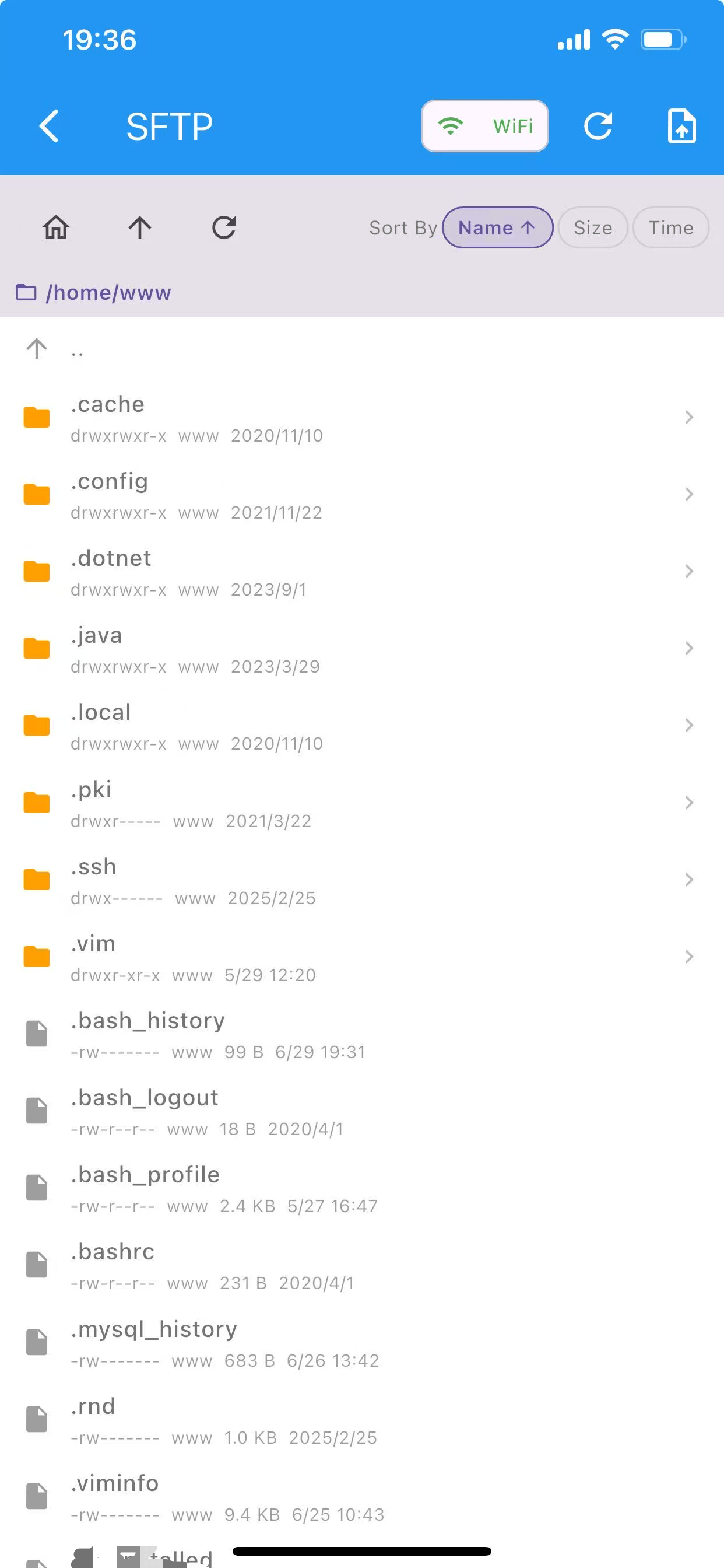
  • Built-in SFTP file browser
  • Local & remote port forwarding
  • Network-aware transfer optimization
XuTerm multi-session and SFTP file transfer on phone
XuTerm multi-session management and file transfer on tablet

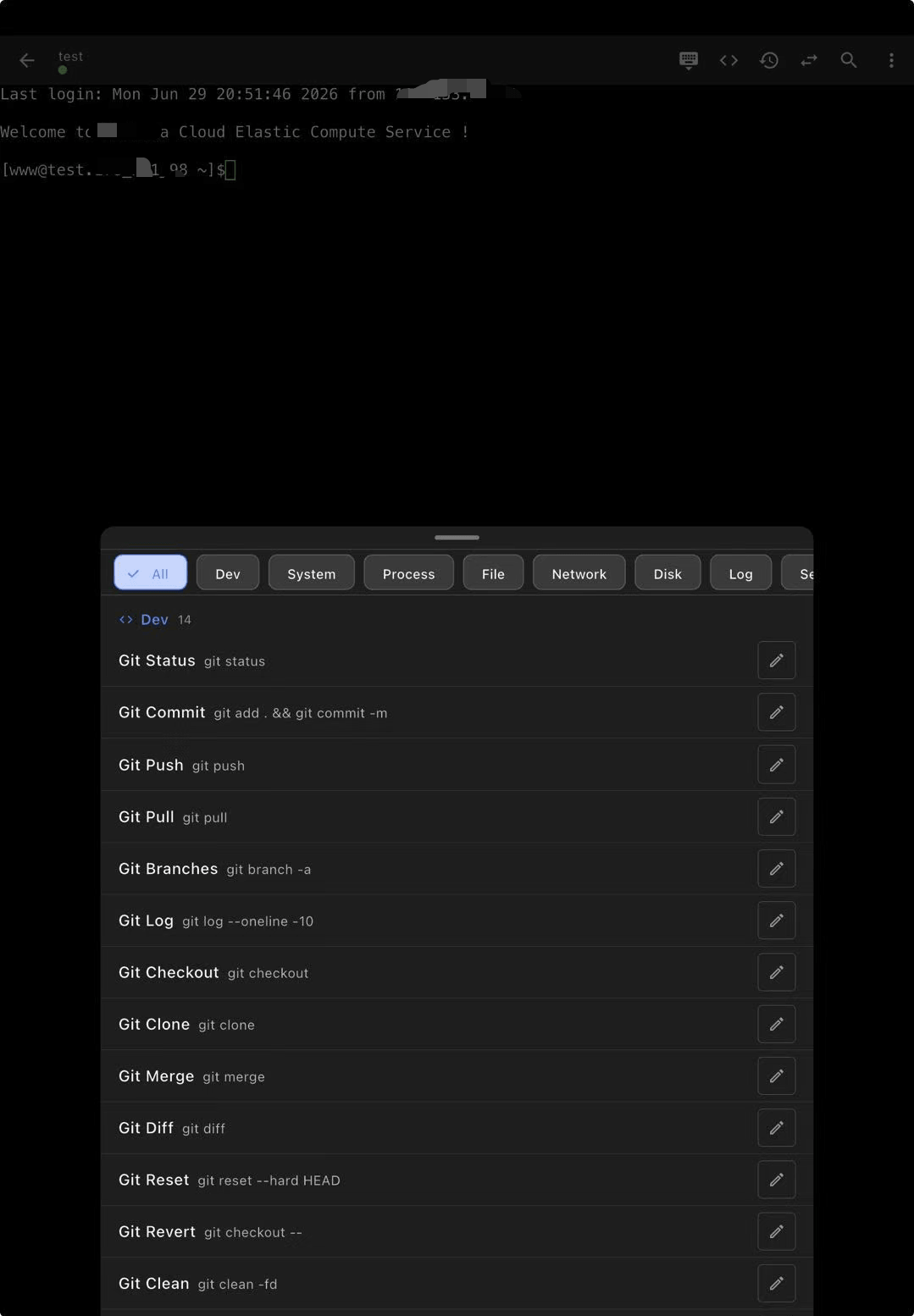
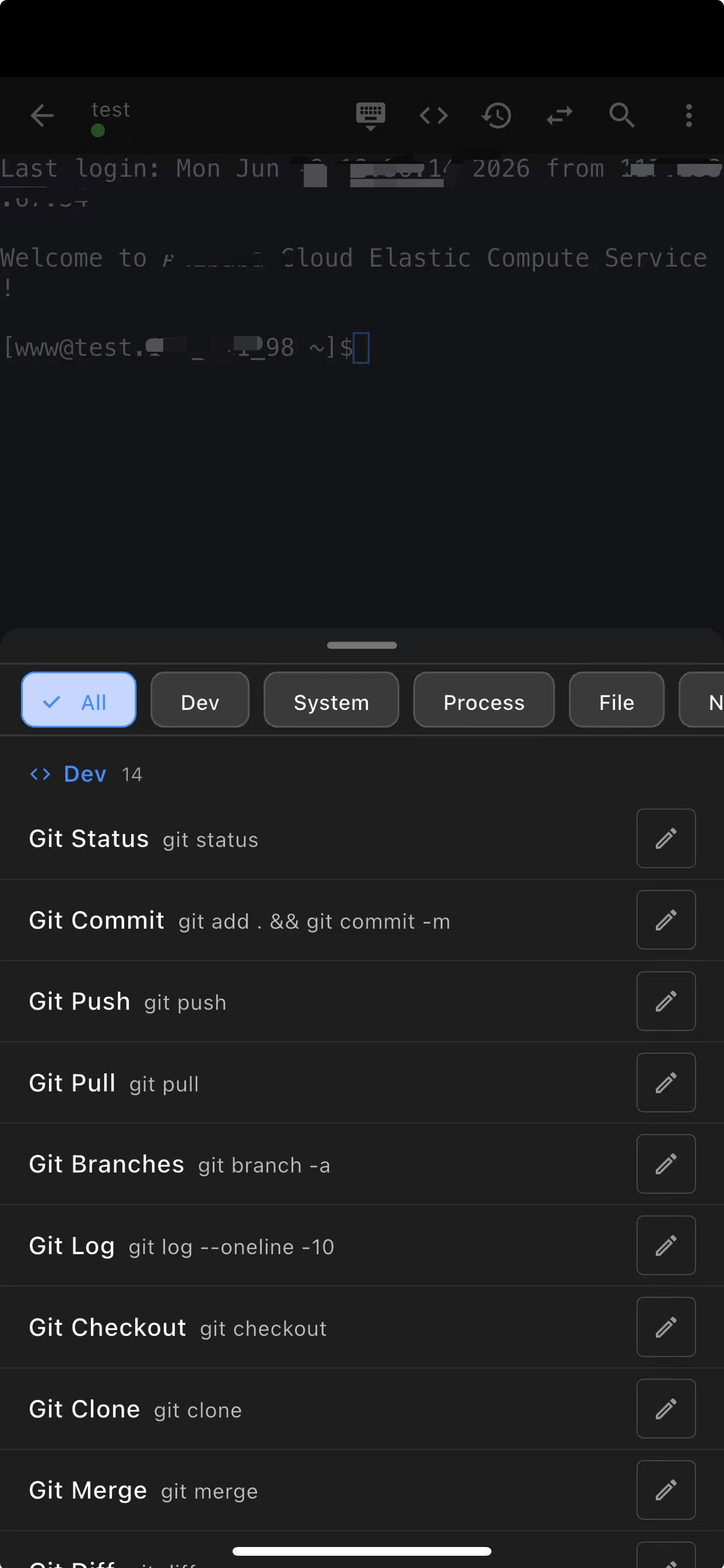
Quick Commands & Shortcuts

Save your frequently used commands and share configurations via QR code. Built-in keyboard shortcuts for efficient mobile input.

  • Custom quick command library
  • QR code config sharing
  • SSH key management hub
  • Smart keyboard shortcut bar
XuTerm quick commands editor on tablet
XuTerm quick commands and shortcuts on phone

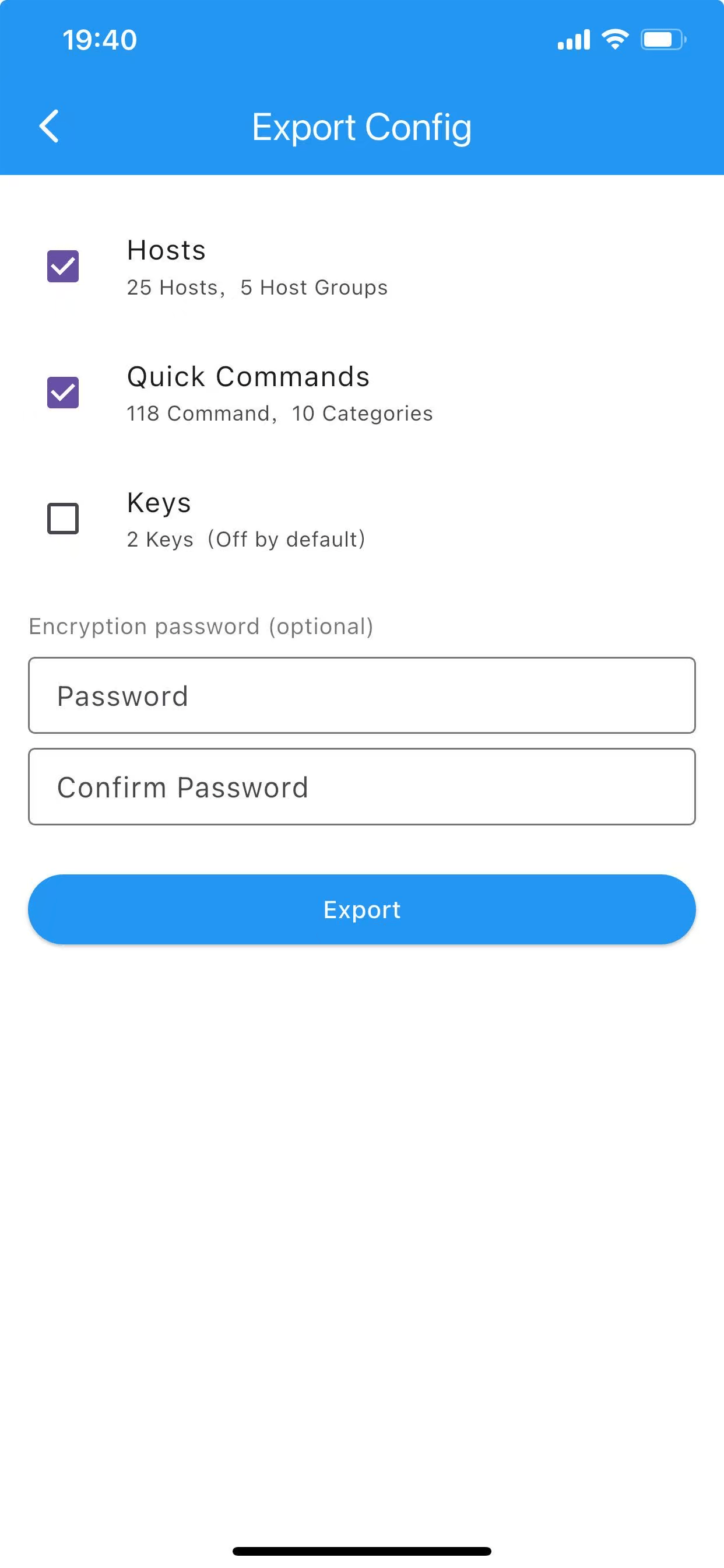
Data & Sync

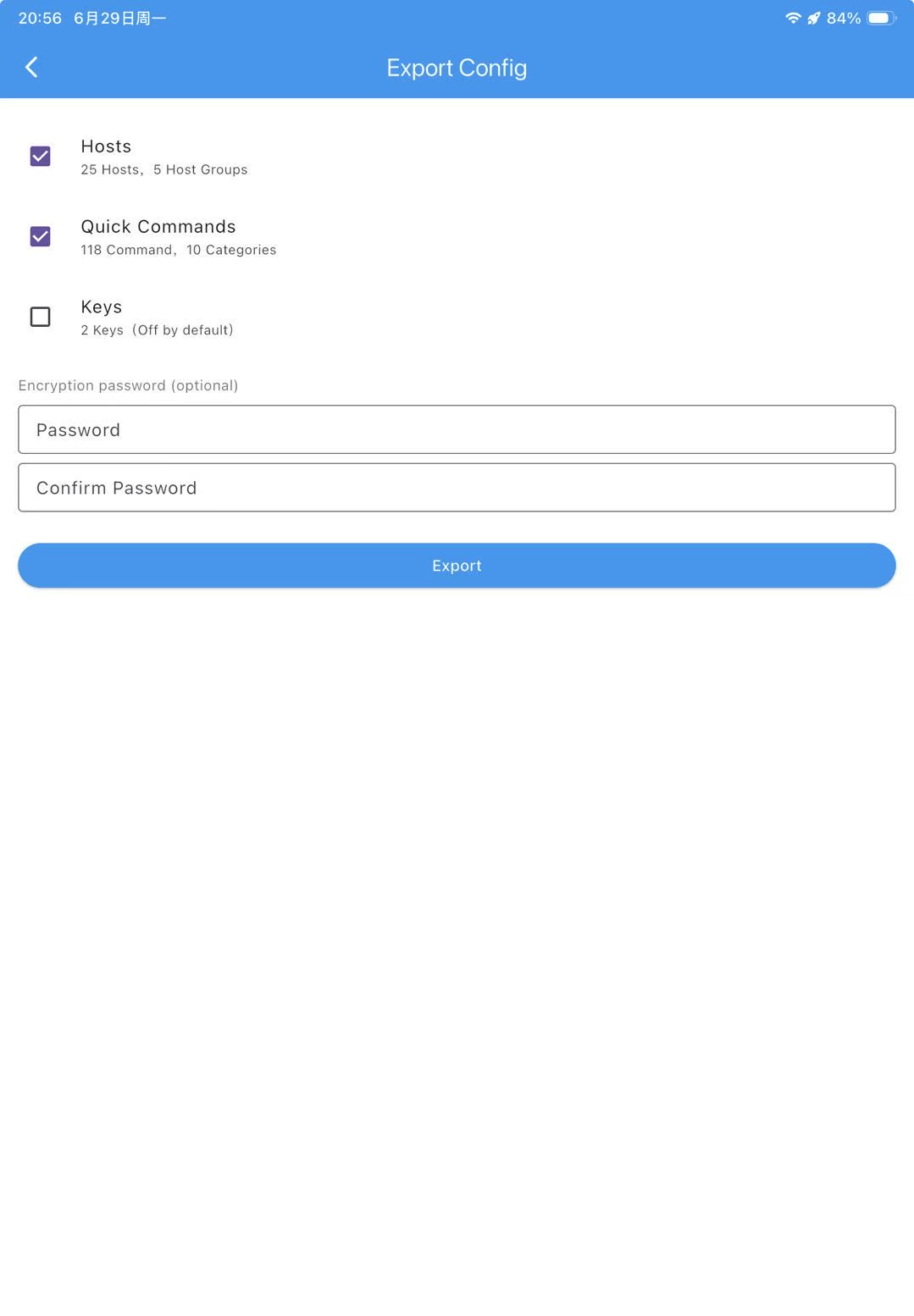
Your configurations travel with you. iCloud sync on iOS, import/export on all platforms, and session snapshots for quick recovery.

  • iCloud sync (iOS)
  • Config import & export
  • Session snapshot & restore
XuTerm data sync and backup on phone
XuTerm data and sync settings on tablet

Security & Privacy First

Your data stays on your device. We never collect or transmit personal information.

🔐

Biometric Lock

Protect the app with Face ID, Touch ID, or fingerprint. No one accesses your servers without you.

🔑

AES Encryption

All sensitive data — passwords, keys, configs — encrypted with AES-256 before storage.

🛡

No Data Collection

Zero analytics, zero tracking. Your server credentials and activity are never sent anywhere.

📄

Open Privacy Policy

Clear, straightforward privacy policy. Read it here.

Frequently Asked Questions

What is XuTerm?

XuTerm is a free, privacy-first SSH and Mosh terminal client for Android and iOS. It provides a mobile-friendly terminal with native tmux integration, an SFTP file browser with preview, trzsz file transfer, TOTP two-factor authentication, server monitoring and 20+ built-in DevOps tools.

Is XuTerm free?

Yes. XuTerm is completely free — no ads, no subscriptions, no in-app purchases.

Which platforms does XuTerm support?

Android is available now on Huawei AppGallery, APKPure, Uptodown, Appteka and GitHub Releases. The iOS version is in development and coming soon.

Does XuTerm support tmux and Mosh?

Yes. XuTerm has native tmux integration — sessions survive network switches and app restarts — and full Mosh support for reliable connections over unstable mobile networks.

Is my server data safe with XuTerm?

Yes. All sensitive data (passwords, keys, configs) is encrypted with AES-256 and stored only on your device. XuTerm has zero analytics and zero tracking; your credentials are never sent to any server.

How do I import my servers quickly?

You can add hosts manually, or import them in bulk by scanning QR codes shared from another device. Quick commands can also be shared and imported via QR codes.

Where can I download XuTerm?

You can download XuTerm from Huawei AppGallery, APKPure, Uptodown, Appteka or GitHub Releases — all links are available on this page.

Ready to Take Control?

Download XuTerm and manage your servers from anywhere.

Download from AppGallery Download from APKPure Download from Uptodown Download from Appteka Download from GitHub